

By Grace Liu
~10 minutes
Computer Aided Design, or CAD, is essentially a platform for users to design, modify, and analyze a digital model. Its speed and efficiency rival traditional design methods, and the capabilities of CAD are continuously growing as technology advances. It is a space for unlimited creativity and endless possibility, and it is crucial to have an in-depth understanding of CAD to be able to fully harness its potential.
How does it work?
At the center of a CAD software program is its graphics kernel, or the processing core. It is a component of the graphical user interface (GUI) which has extensive uses on electronic devices beyond the capabilities of CAD. The GUI takes input from the user and transfers the data to the graphics kernel, which will then generate the geometries and display them on screen.
Types of CAD
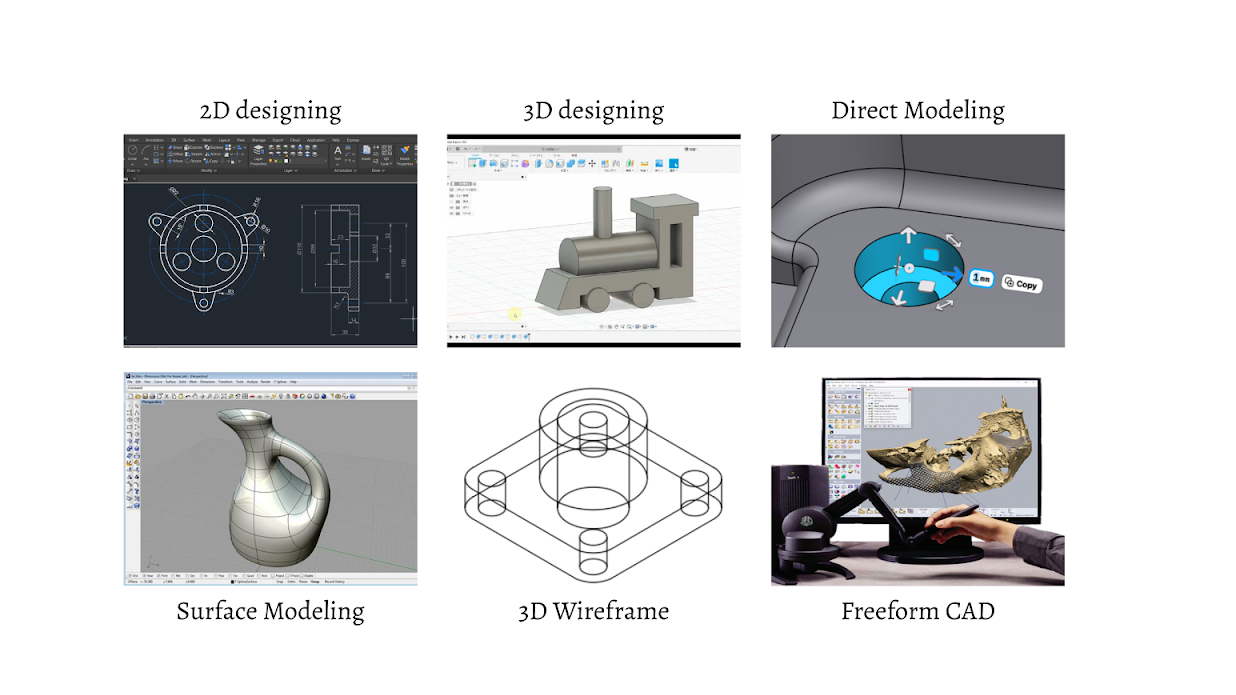
There are two main categories of CAD: 2D and 3D. 2D designing is more similar to digital art with a different set of tools, often seen with digital drawing and sketching. The key difference is the use of measurement and parameters, a tool that sets a variable to a certain value in a design to be referenced later in other constraints. Parameters are extremely beneficial to create an adjustable, flexible design. 2D designing with Computer Aided Design is commonly used for landscaping, floorplans, and blueprints. On the other hand, 3D modeling offers more complex and realistic designs, and will be the focus of this article. It comes in tons of different forms, including direct modeling, surface modeling, 3D wireframe, and freeform CAD.
Direct modeling is a type of CAD that doesn’t contain parameters and purely relies on the pushing and pulling of surfaces on unconstrained objects. It allows more freedom than parametric modeling, but becomes much more difficult when needing to adjust a design. For example, say you need to make an object twice as large as it currently is. In parametric modeling you would simply need to enlarge the base parameters for certain lengths that you set, and then all constraints using those parameters would automatically adjust. In direct modeling you would need to manually scale each surface to size up the object.
Another form of CAD is surface modeling, which focuses on manipulating intricate external surfaces, more like a shell instead of a full 3D object. It uses curves and lines defined by mathematical formulas, calculated by the computer using input from the graphical workspace in the CAD program. Surface modeling helps display texture, material, and overall aesthetics for the design.
A step down from surface modeling is 3D wireframe, which goes further to remove the surfaces on the object and models 3D structures using only its lines and curves. Without any actual surfaces or bodies, the design appears to be the skeleton of the object(s) or a wire framework, hence the name. It acts as the first 3D visualization of concept or design, providing a foundation that can be built into a full model later on. These designs are often the first pitch to an outside source that offers feedback on the base sketch, an efficient and effective method to communicate a design idea without having to fully create it.
A unique but often overlooked type of CAD is freeform CAD. It acts more like clay, letting the user be more artistic and creative with their design. It utilizes digital brushes or styluses to sculpt the object, with a different set of tools and abilities in the workspace compared to the more common forms of CAD. Freeform CAD often involves the use of haptic devices instead of a mouse and keyboard. These devices will transmit the digital output from the computer to a physical attachment on the device through touch sensation that allows the user to “feel” their design as they sculpt. The physical attachment typically mimics brushes or scrapers, and can sometimes even be equipped with vibration.
Different CAD platforms:
The foundation of every CAD platform is similar, but each one has different unique features. Getting an overview of the platforms can help the user determine which one to choose that best suits their needs. Five of the most common ones include: Autodesk Fusion 360, Onshape, Blender, TinkerCAD, and SolidWorks.
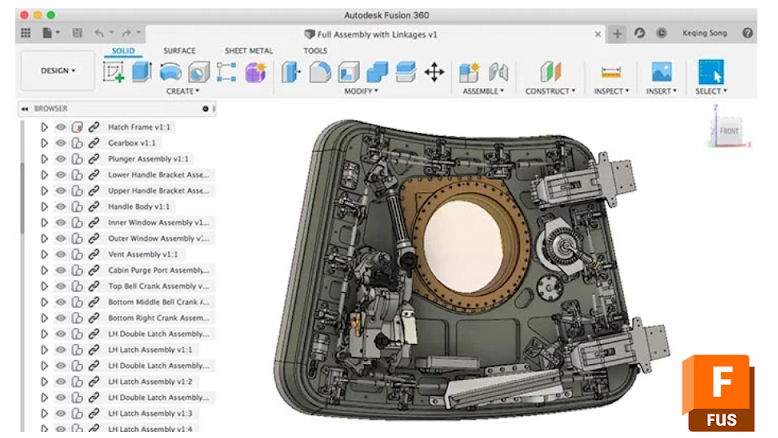
Autodesk contains a multitude of CAD programs, but their most popular and versatile one is Fusion 360. It’s an industry level CAD software and combines different tools and abilities all into one place, allowing for (unlimited) creation. Fusion 360 contains a variety of workspaces including: Design and Generative Design, Rendering, Simulation, Animation, Electronics, and 2D Drawing. Just within the Design workspace Fusion 360 has hundreds of techniques to choose from when building like freeform, surface, parametric, and direct modeling along with sheet metal, mesh, plastic, etc. Its software platform allows for smooth collaboration by storing all files directly in the cloud and easy updates across designs, reducing the amount of time it takes to combine multiple designs. Fusion 360 is flexible, perfect for rapid prototyping, with an extensive tool kit that contains multiple shortcuts to make designing and modifying faster. Autodesk also has a free education license for students and educators, making it accessible to a larger audience.
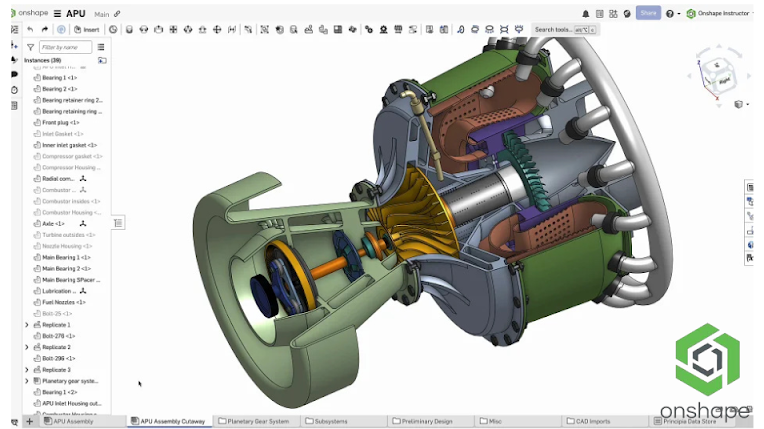
OnShape is another one of the leading CAD platforms in the industry today, a top competitor with Fusion 360. Onshape includes diverse customization tools like FeatureScript, a programming language specific to Onshape that allows users to create custom CAD features or shortcuts usable in their designs. For example, you can code a custom feature that can create a mold on a separate body for any design, reducing the time it takes to manually create a mold each time. FeatureScript lays the groundwork for OnShape’s modeling and standard functions like Extrude, Fillet, and Helix are already written in as FeatureScript functions when you begin to branch out and create your own. Onshape has a built in Product Data Management (PDM) system which allows teams to edit the same design simultaneously, a feature not many CAD platforms can achieve. Alongside increasing efficiency, this also makes it easier to store parts and assemblies by eliminating files. You can long into your account anywhere, and have full access to all your designs in OnShape. Another unique tidbit about OnShape is that it does not require manual updates for the application, all updates run automatically in the background so you don’t have to worry about running the correct version of OnShape when fixing bugs in your design.
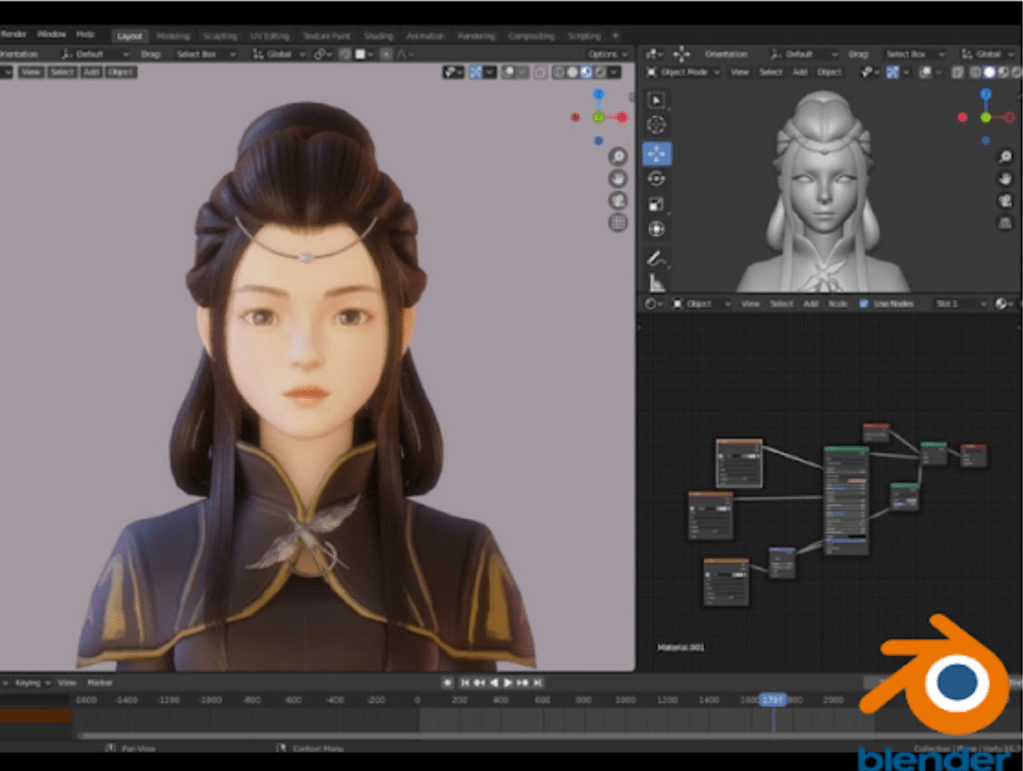
Blender is a slightly different CAD platform; it focuses on and perfects the aesthetics of 3D modeling. It’s best for rendering and shading, animation, simulation, visual effects, and game development. Blender consists of 2 main rendering engines: Eevee and Cycles. Eevee is a real-time engine, best for quick rendering for fast iterations. In short, a real-time rendering engine computes the lighting, materials, plus other components of the image continuously at about 30-120 frames per second and provides an interactive output which allows the user to adjust the settings. Cycles is a path-tracing engine with high quality and realistic renders, but takes a much longer time. A “path-tracing” rendering engine means that the program simulates the physical behavior of light rays on the object frame by frame to create a realistic image. Cycles would typically be used for the final render, pristine and life-like, whereas Eevee would be used in-between iterations to help make improvements. The extensive simulation workspace in Blender can mimic unique bodies in nature like fluids, smoke, and fire. Another benefit of Blender is that it’s completely free, perfect for hobbyists or students.
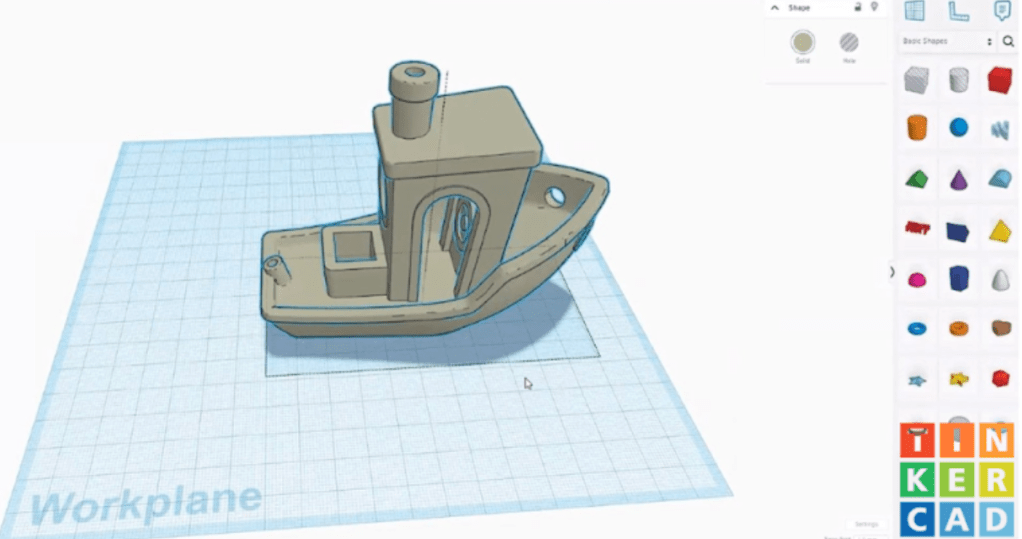
TinkerCAD is a much simpler CAD platform, but that also makes it best for beginners with its clear, straight-forward layout. It consists of a couple tabs with a set collection of 3D shapes along with other tools. It includes basic electronics simulation and serves as a good introduction to circuits and coding a real mechanism instead of just on a computer program. TinkerCAD is very popular in schools as it has built-in lessons and hands-on projects along with its easy format. Since it was designed to teach beginners, TinkerCAD has limited capabilities. It doesn’t have complex curves and restricts freedom on building custom shapes, as well as lower resolution models. TinkerCAD does not have advanced rendering, simulation, or animation so it might not be the best option for realistic modeling. These intentional restrictions keep TinkerCAD kid-friendly and focus on teaching the basics of 3D modeling before transitioning to something more advanced. It’s also compatible with online models in a specific file format, so you can learn from and transfer designs on the internet to TinkerCAD. It’s good for simple 3D printing and laser cutting, allowing for a full introduction to the basics of engineering for beginners.
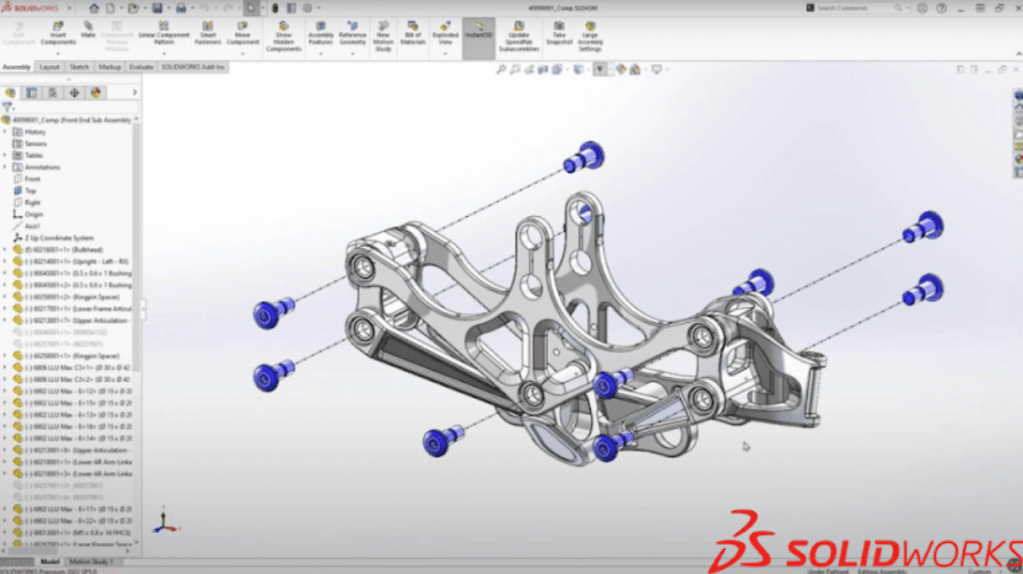
SolidWorks is an industry grade CAD platform, and in a lot of aspects similar to Fusion 360. A key difference is that SolidWorks targets large engineering companies like Tesla and Lockheed Martin while Fusion 360 focuses on hobbyists, students, or startups that want a simple, but effective CAD platform to create 3D designs not quite as complex as a plane. SolidWorks makes drawing complicated 2D blueprints with details and labels much easier. It can utilize views, measurements, and calculations from the 3D design, and then transfer them to the 2D drawing. SolidWorks has a powerful simulation workspace for motion, stress, heat, and real-life scenarios that designs like cars, planes, or bridges need to withstand. Comparatively, SolidWorks is one of the more sophisticated 3D designing platforms and requires time to get familiar with, but it also offers lessons, tutorials, and even courses to help shorten the learning curve.
Real-world applications of CAD
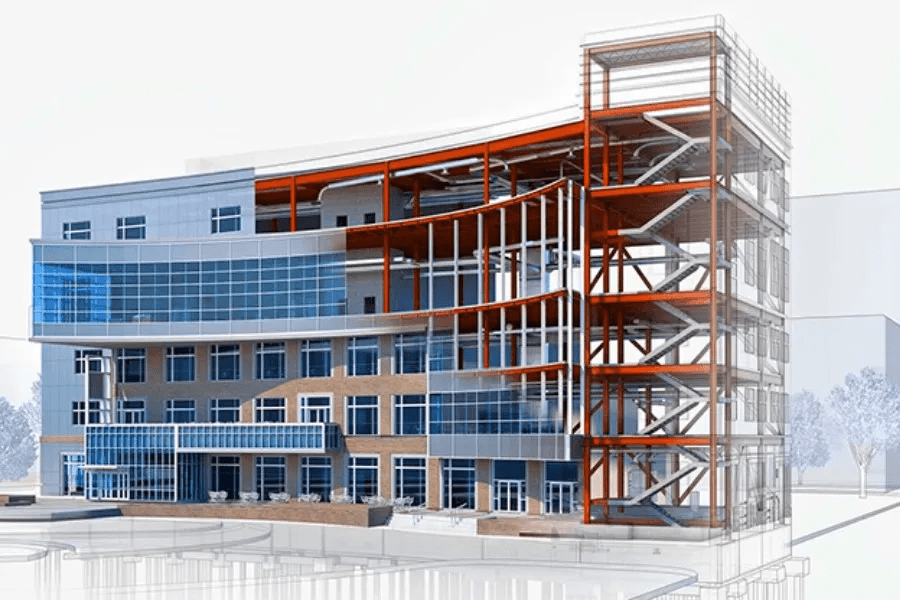
The most common place you see Computer Aided Design is in engineering, where it has become integrated throughout the design process, from designing and prototyping to manufacturing the product. It’s also present in architecture, so much so that there’s a type of CAD created specifically for 3D models of buildings. Building Information Modeling (BIM) is a CAD platform that creates a 3D model of all the components in a real-world building, and also replicates the entire timeline of the building from construction to long-term maintenance. It’s a digital version of the entire process of the building, and helps to check safety and functionality beforehand. CAD also pops up in unexpected places, like interior and exterior designing, fashion, and game design. Interior and exterior designing involves much of the same processes as industrial design, although with less moving parts in the assembly. Fashion mostly uses 2D CAD to make the drawing and sketching process faster and more efficient. Game design, as mentioned when discussing Blender, uses mostly the design, animation, and rendering workspaces in 3D CAD to make their characters and objects look as realistic as possible. 3D modeling can also be seen in medicine, specifically with imaging and x-rays. Machines in hospitals are being equipped with the ability to reconstruct 3D models of bones and structures within the human body, helping doctors to better treat the patient.

 Youth Stemline
Leave a comment